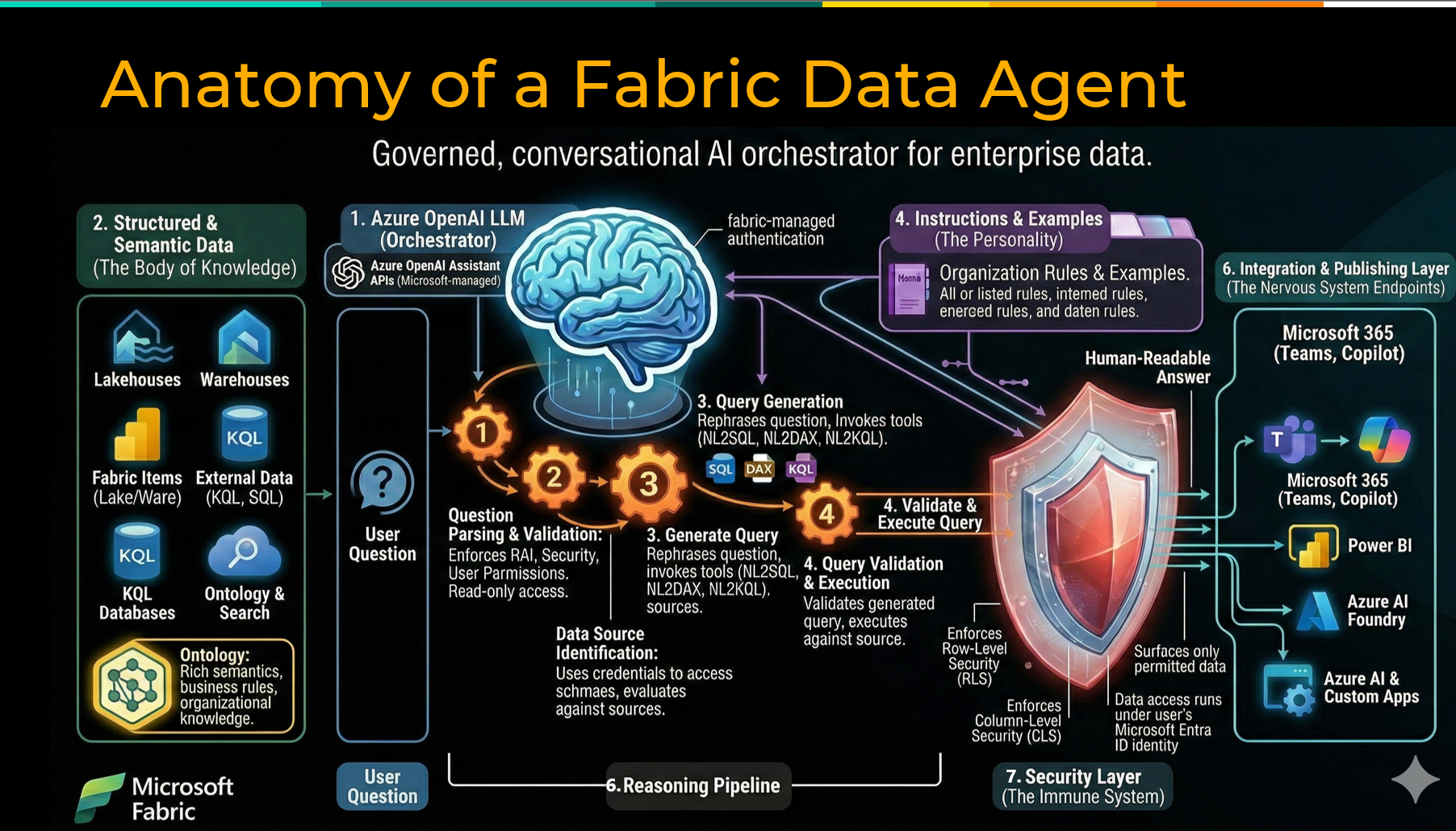
The promise of conversational AI over your enterprise data is real. Ask a question in plain English, get a trusted answer grounded in your actual business data — no SQL required, no dashboard to rebuild, no analyst to track down. Microsoft Fabric data agents are making that possible today.
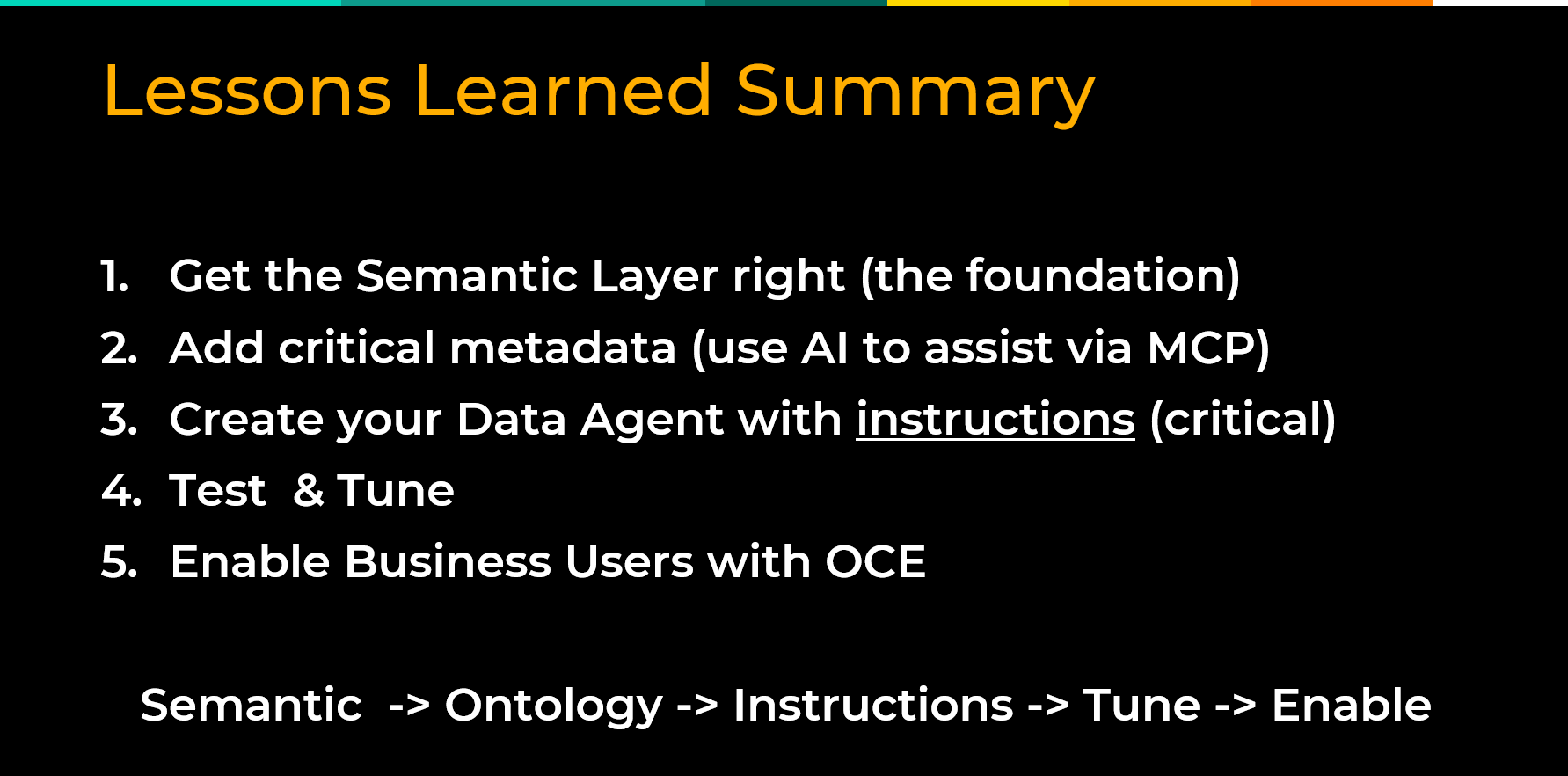
But there is a meaningful gap between a compelling demo, and a production-grade experience that business users will actually trust and adopt. Through hands-on work with Fabric data agents spanning data modeling, agent configuration, and organizational rollout, a clear set of best practices has emerged that separates the pilots that scale from the ones that stall. This post covers five of them: building a strong semantic foundation, keeping agent scope narrow, writing structured instructions, validating before go-live, and bringing users along with intentional change management.
Best Practice #1: Nail the Semantic Foundation First
Of all the investments you can make before building a Fabric data agent, none matters more than the quality of your semantic foundation. The agent is only as good as the context it is grounded in, and if that context is thin, ambiguous, or missing, even the most capable AI model will struggle to return reliable answers.
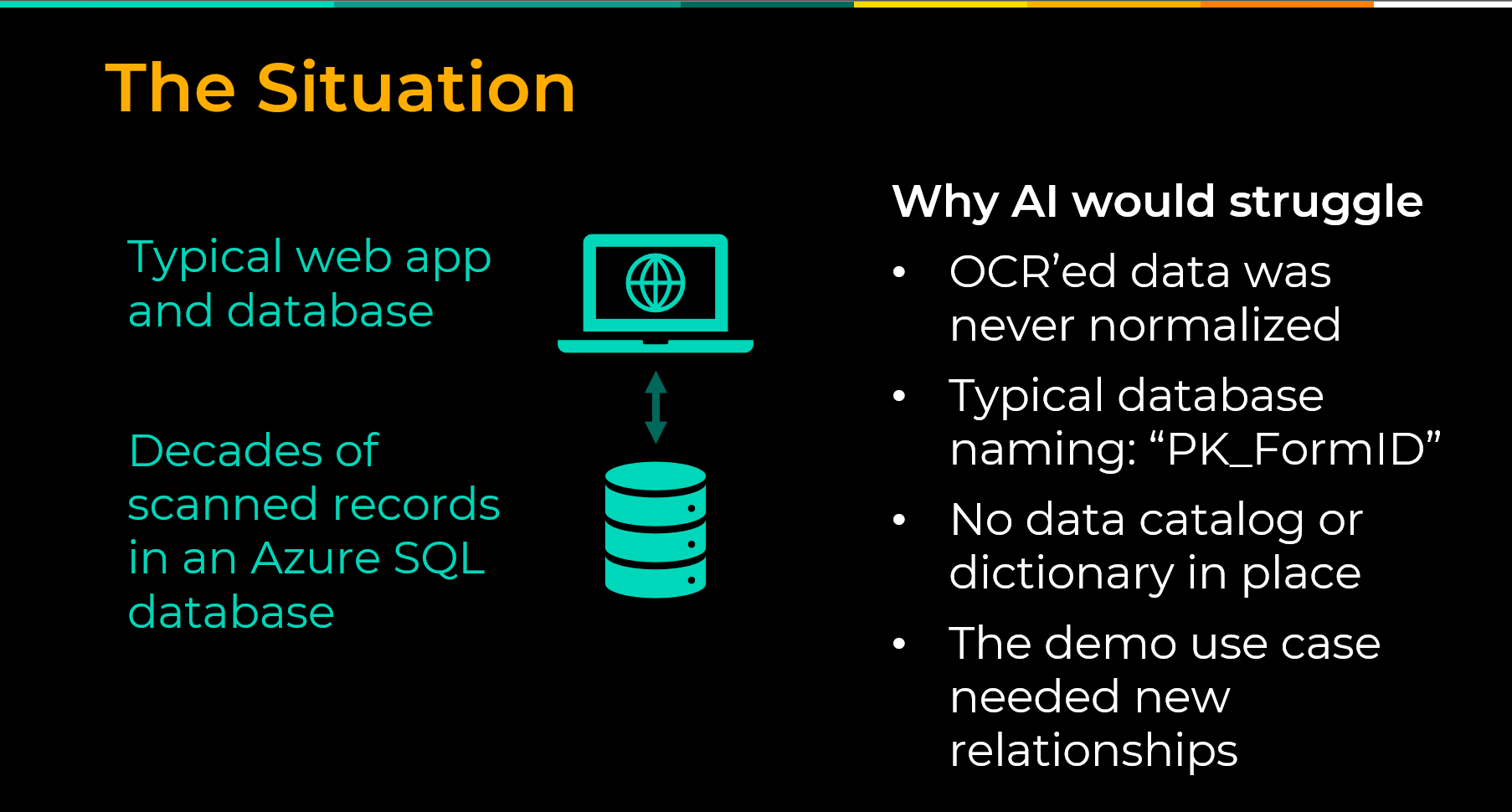
Enterprise databases have always been difficult for outsiders to interpret.
- Table names follow technical conventions that made sense to a developer years ago but mean nothing to a business user today.
- Columns carry abbreviations and legacy codes with no documentation in sight.
Generative AI faces the same challenge. If you can’t crack open the database underneath your application and understand it, generative AI — the English major of the AI family — is also going to struggle to understand it. The model is not going to find meaning that was never documented.
The solution is to build that meaning in before you point an agent at your data. In Microsoft Fabric, that means two things.
- The first is a clean, well-structured semantic model with calculated measures, defined relationships, and human-readable naming.
- The second is a Fabric Ontology, a capability that acts as an enterprise vocabulary layer on top of your semantic model, defining entities, their relationships, and the business meaning behind them. It can be auto generated from an existing semantic model and refined from there.
Tools like GitHub Copilot can help automate the process of writing table and column descriptions, a tedious but high-value task that meaningfully improves agent accuracy.
Here’s what to do before you build:
- Audit your semantic model for completeness, clean naming, and documented measures
- Generate a Fabric Ontology from your semantic model and refine it with business context
- Write descriptions for all tables and columns, using AI tooling to accelerate where possible
- Resolve any critical business definitions that lack consensus before rollout
Best Practice #2: Keep Agent Scope Narrow and Purposeful
One of the most common mistakes in early Fabric data agent deployments is trying to build one agent that answers everything. An agent asked to cover too much ground will almost always underperform one built with a clear, bounded purpose. The more data sources, tables, and columns an agent has to reason over, the harder it becomes to determine which context is relevant to any given question. In practice, this means building specialized agents aligned to specific business domains. A sales agent. An inventory agent. A finance agent. Each one is easier to configure, easier to test, and easier to explain to the users who will rely on it. A focused agent also comes with a clear owner and a defined set of supported questions, making it far easier to diagnose problems and demonstrate value to stakeholders. Start with one domain, do it right, and let that success build the case for what comes next. Here’s what to do:- Define a clear, bounded set of questions the agent is designed to answer before you begin building
- Align each agent to a specific business domain rather than spanning multiple functions
- Limit data sources, tables, and columns to only what is necessary
- Assign a clear owner for each agent who understands both the data and the business questions it serves
Best Practice #3: Write Detailed, Structured Agent Instructions
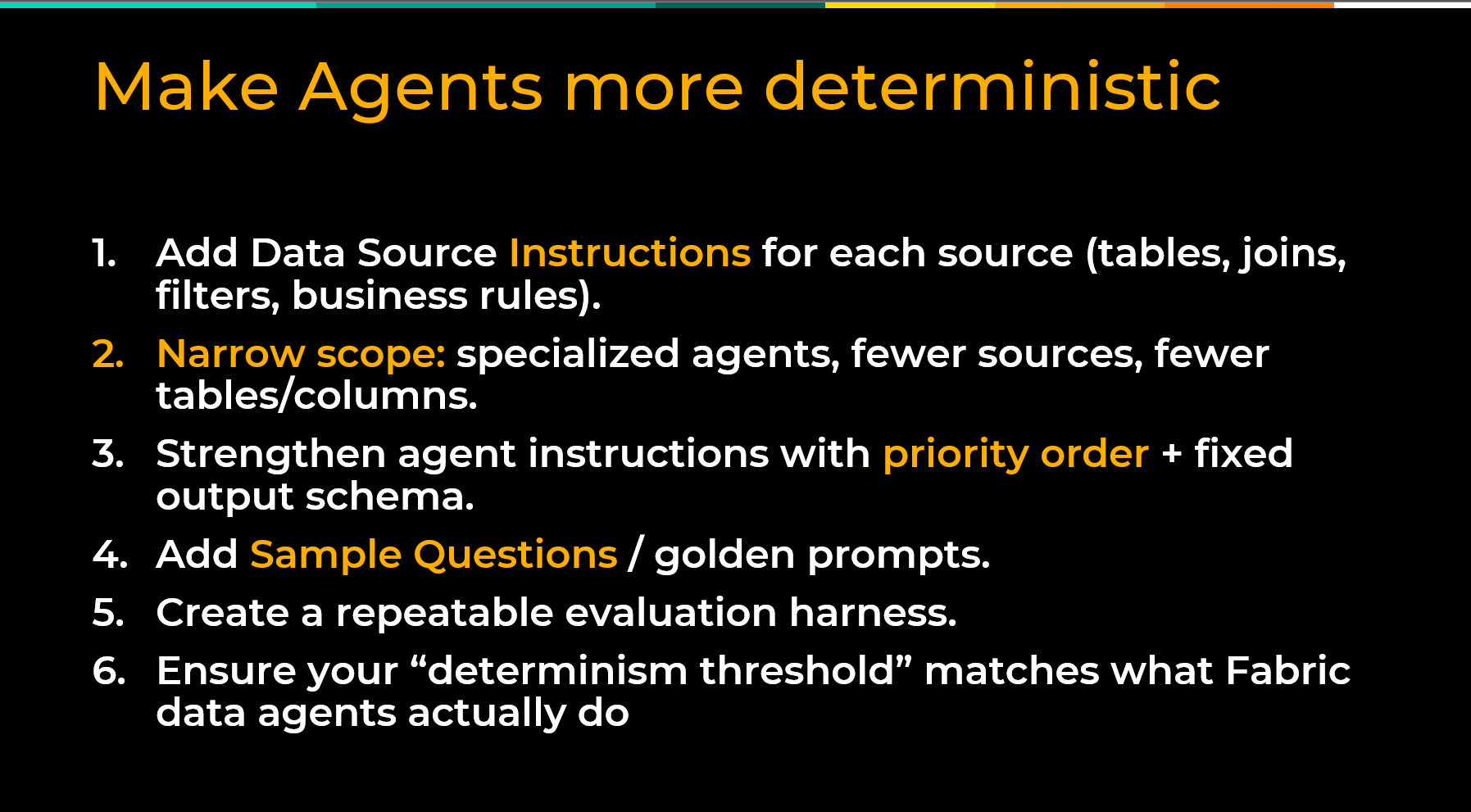
Fabric data agents are probabilistic by nature. They use statistical reasoning to determine the most likely answer to a question. Business users, on the other hand, expect deterministic answers — the same question returning the same result every time. Well-crafted agent instructions are the primary lever for closing that gap. Agent instructions are a configuration layer where you provide the model with context, priorities, constraints, and behavioral guidance before it ever answers a user’s question. Think of them as the standing brief you would give a new analyst on their first day. Here is what matters, here is how we define things, here is what to do when a question is ambiguous, and here is what is out of scope. Good instructions establish priority order when multiple data sources are available, define how specific metrics should be calculated, and specify output formats where consistency matters. Fabric data agents also support sample questions with pre-defined queries. For your most critical business questions, you can specify the exact SQL, DAX, or KQL query you want the agent to execute, removing the probabilistic element entirely for those scenarios. Treat your instructions as a living document and refine them as you learn how users interact with the agent. Here’s what to do:- Write instructions that establish data source priority, metric definitions, and output format expectations
- Use instructions to specify how the agent should handle ambiguous, sensitive, or out-of-scope questions
- Add sample questions with pre-defined SQL, DAX, or KQL queries for your most critical use cases
- Review and refine instructions continuously as real-world usage reveals gaps
Best Practice #4: Build a Repeatable Evaluation Harness Before You Go Live
A successful demo is not the same as a production-ready agent. Before rolling out to business users, you need a structured way to validate that your agent is returning accurate, consistent results across the range of questions it is expected to answer. At its core, an evaluation harness is a defined set of test questions with known-correct answers. Fabric data agents expose the actual SQL, DAX, or KQL queries they generate, which you can copy and validate directly against your data. If the numbers match, you can move forward with confidence. Beyond accuracy testing, have a small group of users to red-team the agent before go-live — asking about sensitive data, pushing boundaries, and probing edge cases. Catching failures in testing is a learning opportunity. Catching them in production is a trust-destroying event. Re-run your evaluation harness every time you change instructions, add a data source, or modify your underlying data model. Treat evaluation as an ongoing practice, not a one-time pre-launch activity. Here’s what to do:- Build a defined set of test questions with known-correct answers before rollout
- Validate agent outputs by comparing them against verified queries run directly against your data
- Red-team the agent with a small user group before go-live, including edge cases and sensitive topics
- Re-run your evaluation harness any time instructions, data sources, or underlying models change
Best Practice #5: Pair Technical Rollout with Organizational Change Management
Shipping the agent is not the finish line. Adoption is. Even a well-built, accurately performing Fabric data agent will fall flat if users do not understand what it can do, how to use it, or why they should trust it. The most immediate opportunity is meeting users where they already work. Since December 2024, Fabric data agents can be published directly to M365 Copilot and Microsoft Teams. For organizations that have already invested in Copilot licenses, this is significant. Rather than asking users to learn a new tool, the agent surfaces inside the interfaces they use every day. Set clear expectations about what the agent is designed to answer and what falls outside its scope. Identify internal champions early — users who engage enthusiastically and naturally help peers get value from the tool. Create a feedback loop, so real-world usage informs ongoing improvements to instructions and configuration. Here’s what to do:- Publish the agent to M365 Copilot and Microsoft Teams to meet users in the tools they already use
- Set clear expectations about what the agent is designed to answer and what is out of scope
- Identify and enable internal champions who can support peer adoption
- Create a structured feedback loop so user experience informs ongoing refinement