
At the end of Part 4, the Tuesday-morning story finally had a shape. The team stopped saying “Fabric is slow” and started saying something far more useful: “Our refresh schedule is colliding with finance’s reporting window, and here’s what we’re changing.”
That second half of the sentence is where most organizations get stuck. Knowing which job caused the slowdown, and whose it is, is real progress. But visibility on its own doesn’t fix anything. Without a plan for what to do with it, you just watch the same spike happen every Monday, with better charts.
This post is that plan: four steps, in order. You’ve seen pieces of each one across this series. Here’s how they fit together into a sequence you can start applying this week.
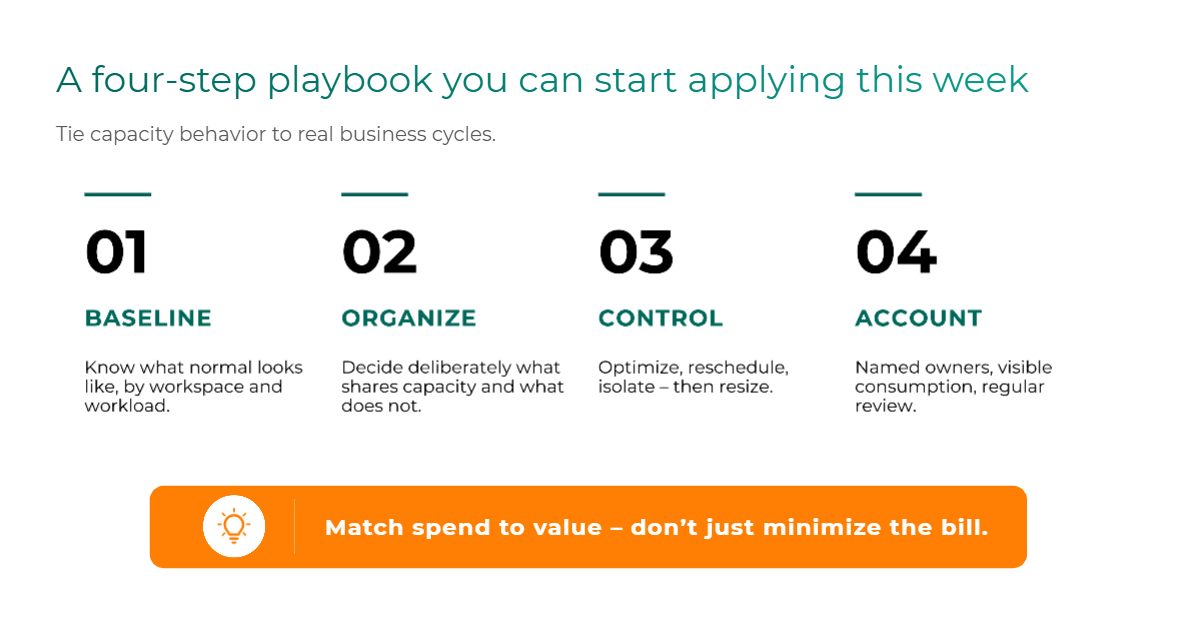
The playbook at a glance
- Establish a capacity baseline. Know what normal looks like before you change anything.
- Organize workloads intentionally. Decide what shares capacity, and protect what matters most.
- Apply the right cost and workload controls. Try the cheapest fix first. Resizing comes last.
- Create accountability. Give every major workload an owner and a regular review.
If you’ve been following the series, none of these steps should feel like a surprise.
- Step 1 puts the six monitoring questions from Part 4 to work.
- Step 2 is Decision 2 from Part 2, turned into action.
- Step 3 relies on the smoothing and throttling mechanics from Part 3.
That’s deliberate. The playbook isn’t a new set of ideas. It’s the order in which to act on the ones you already have.
Step 1: Establish a capacity baseline
A capacity baseline is a clear picture of what normal consumption looks like for your environment, by workspace and by workload, before you change anything.
It’s tempting to skip this step, especially in the middle of an incident. Don’t. Without a baseline, every spike feels like an emergency, and every fix is a guess. With one, you can tell the difference between a Monday that’s unusually bad and a Monday that’s bad every week.
A useful baseline answers a few things:
- Who consumes the most? Which workspaces and items account for the bulk of your capacity use.
- What’s recurring, and what’s a one-off? A pattern that returns every week is a planning problem. A single spike is an incident.
- When do users actually feel it? Performance and refresh complaints matter more than any single metric moving.
Then take one more step that’s easy to overlook: line your capacity behavior up against the business calendar. Month-end close, product launches, seasonal reporting cycles, the Monday morning refresh wave. When capacity behavior maps to real business events, it stops feeling random, and you can plan for it instead of reacting to it.
The baseline tells you where the pressure is. The next step decides where that pressure is allowed to land.
Step 2: Organize workloads intentionally
In Part 2, we made the case that if you don’t decide what shares capacity, Fabric effectively decides for you: everything shares. Step 2 is where you make that decision on purpose.
The options haven’t changed. You can separate dev and test from production, divide capacity by business domain, split by workload type, or give newer AI workloads their own lane. (Part 2 covers the trade-offs of each split in detail.)
What the baseline adds is priority. Start with the move that matters most: protect your high-value interactive workloads from heavy background activity. These are the dashboards and reports leadership actually opens every morning. If Step 1 showed them absorbing the aftermath of someone else’s overnight refresh, you’re looking at the Tuesday-morning echo from Part 3, and an intentional boundary is often the cleanest fix.
A caution in the other direction: the answer to “everything shares” is not twenty tiny capacities. Over-fragmenting creates its own administrative burden and strands compute in pools that don’t need it. Aim for a small number of boundaries, drawn around the workloads that genuinely need protecting.
Step 3: Apply the right cost and workload controls
This is the step most teams want to jump to first, and it’s the one where order matters most.
Start with the cheapest fixes
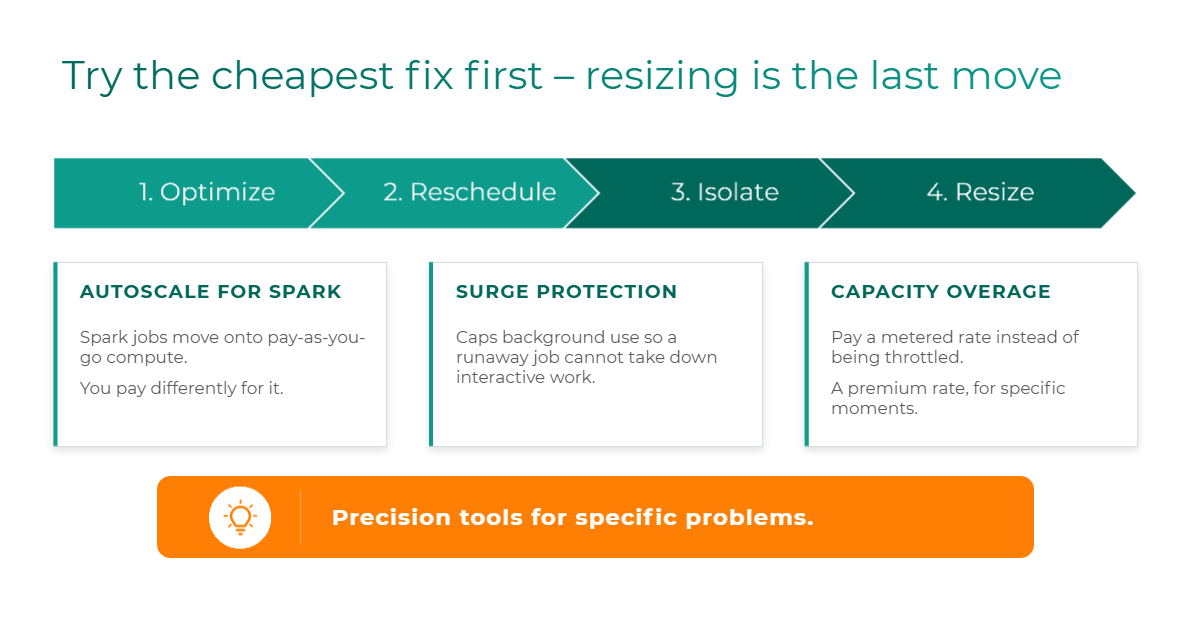
Throughout this series, we’ve recommended the same sequence:
Optimize → Reschedule → Isolate → Resize
- Optimize the workload if it consumes far more than it should, even when it runs alone.
- Reschedule background work if it collides with busy interactive hours.
- Isolate critical workloads if they keep absorbing the impact of other teams’ jobs.
- Resize the capacity only when utilization stays high around the clock after the first three are ruled out.
The first two usually cost nothing but time. The third costs a boundary. The fourth shows up on your bill every month from then on. That’s why resizing belongs at the end of the list, not the top.
Then reach for the precision tools
Fabric also offers newer levers built for specific situations. Each one is useful. None of them is a strategy on its own.
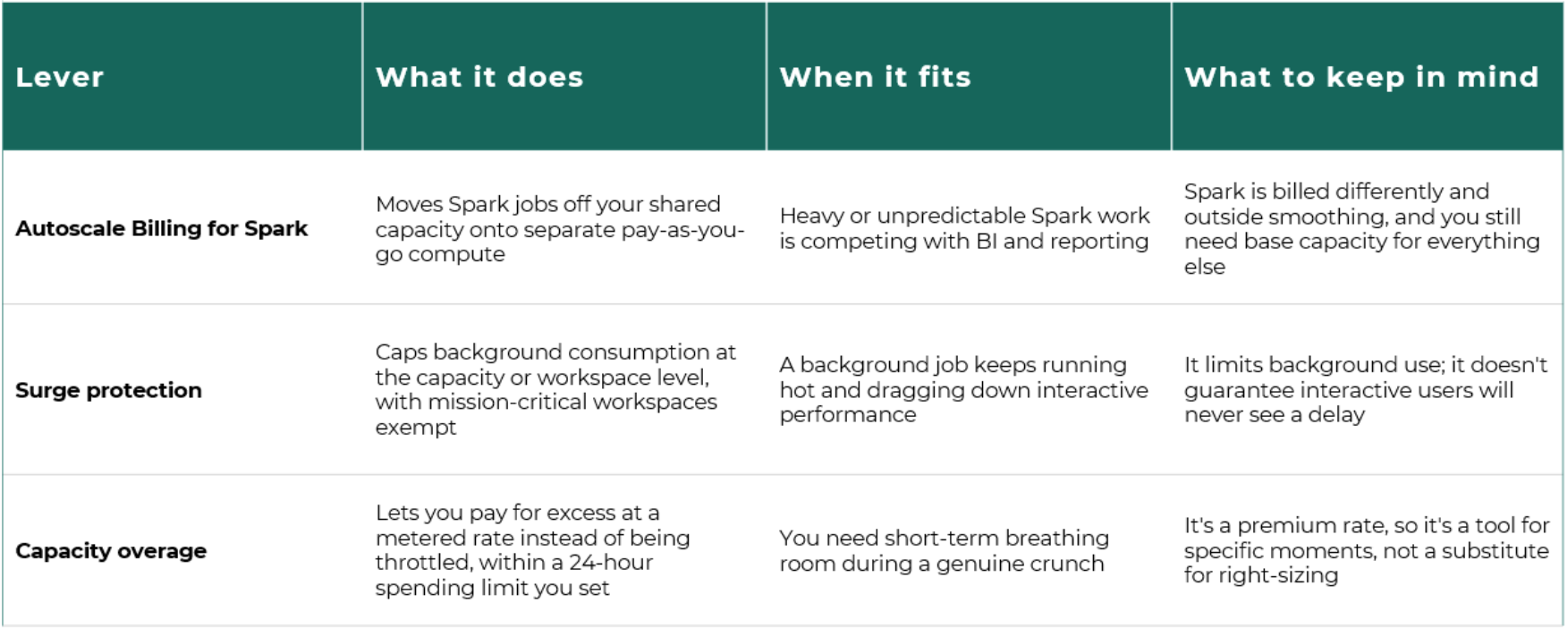
The pattern across all three is the same. These are precision tools for specific problems, not a blanket strategy. Autoscale Billing can take a noisy neighbor off your shared pool, but you pay for Spark differently. Surge protection can keep a runaway job from taking down everyone else. Overage can buy you time during an incident. But reaching for any of them before you’ve worked through the order of operations usually means paying a premium for a problem that a schedule change would have solved.